Ep. 3: User Flows
My Figma Design Journey.

Welcome to my blog! I am Oluwasegun aka (engrshege).
Founder & CEO: @StackTribe
𝐔𝐝𝐞𝐦𝐲 𝐅𝐢𝐠𝐦𝐚 𝐂𝐨𝐮𝐫𝐬𝐞: Complete Web & Mobile Designer in 2023: UI/UX, Figma, +more by Andrei Neagoie & Daniel Schifano.
𝐄𝐩𝐢𝐬𝐨𝐝𝐞 𝟑: User Flows.
From my previous episode, I created COMPONENTS. I used these components in creating designs which resulted to the topic of this episode(USER FLOW).
A user flow is a visual representation of how the user moves through a website or application and shows what happens at each step along the way.
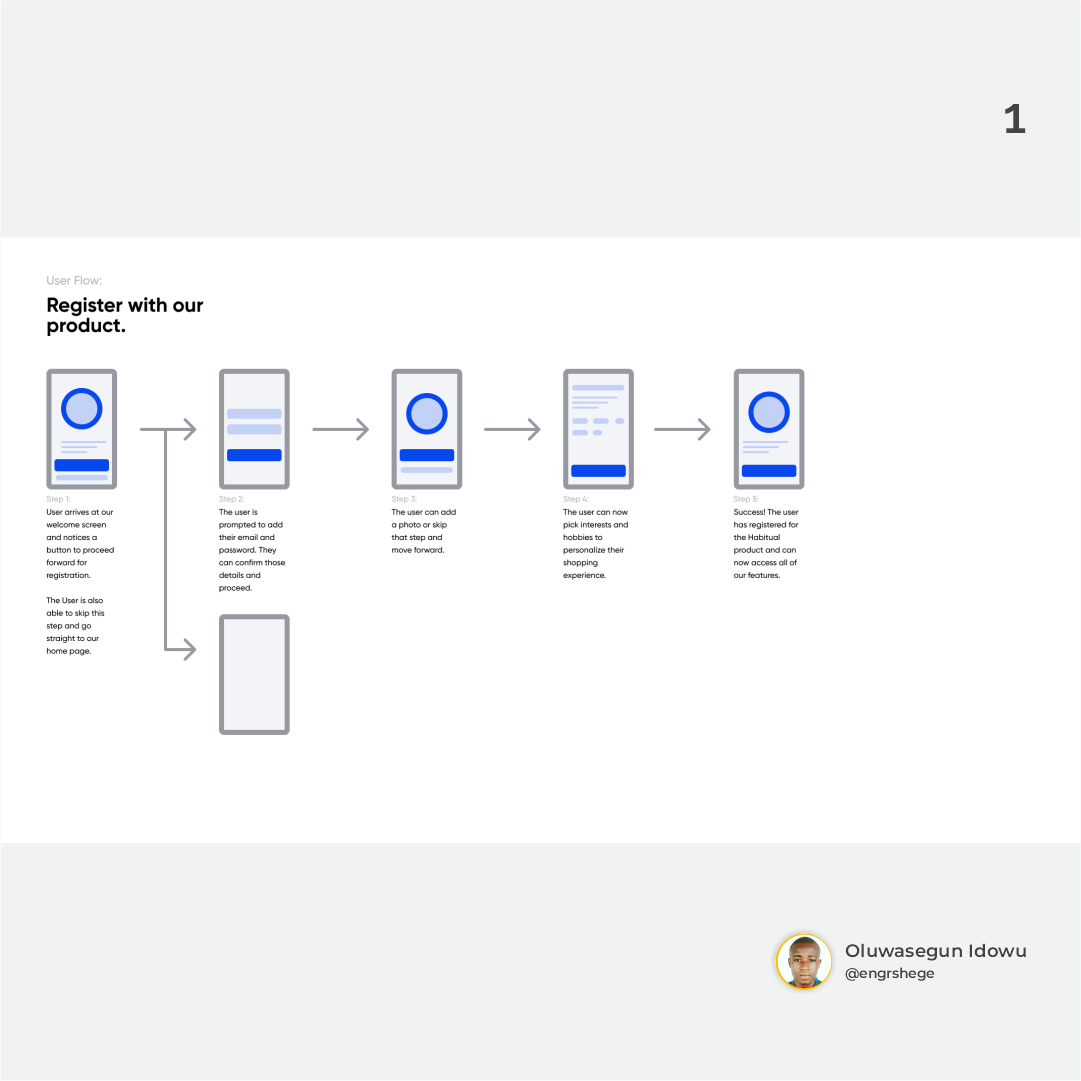
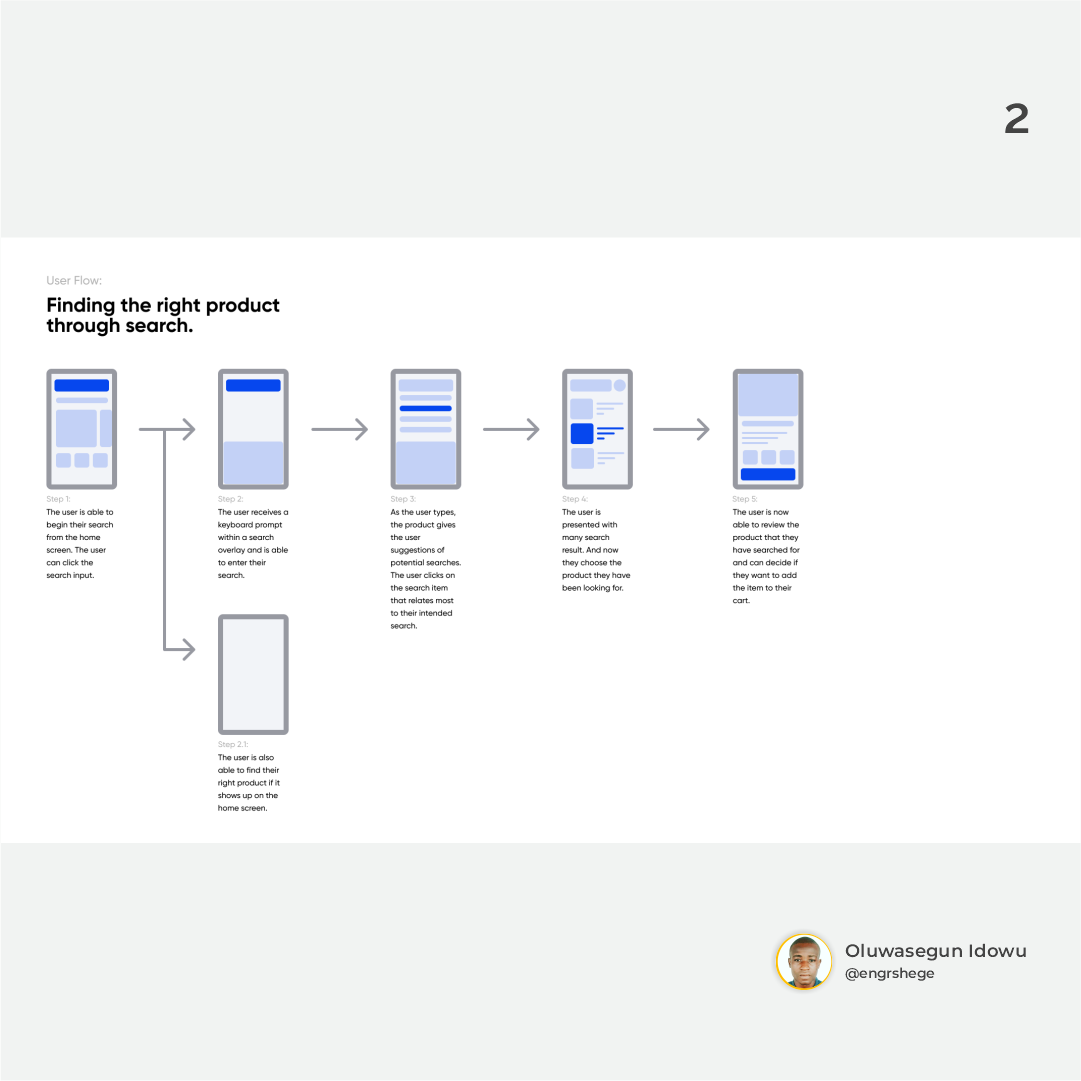
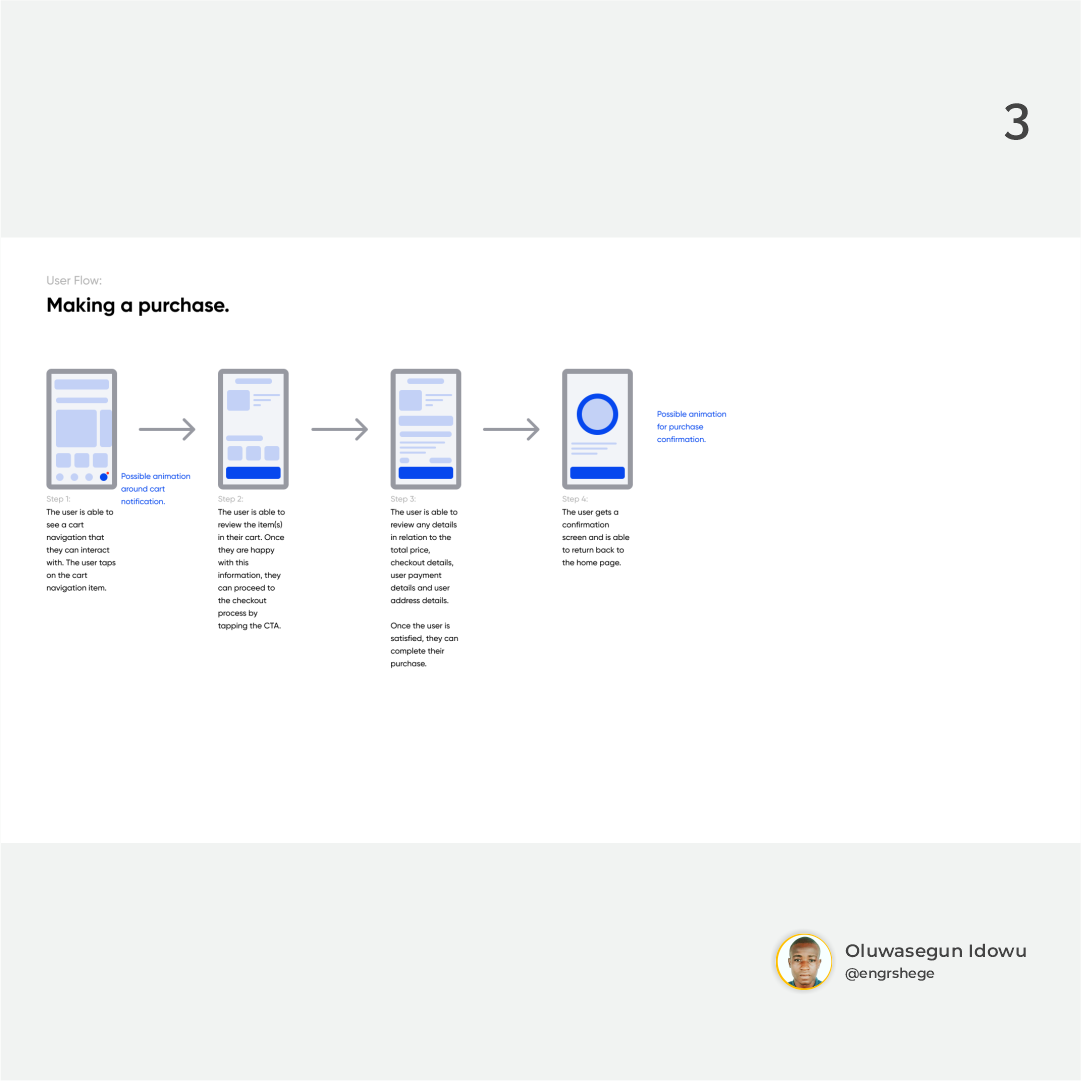
𝐌𝐲 𝐢𝐧𝐬𝐢𝐠𝐡𝐭 𝐨𝐧 𝐭𝐡𝐢𝐬 𝐄𝐩𝐢𝐬𝐨𝐝𝐞:
While working on user flow, I had the expectation of the user in mind and it helped me in defining what should happen next or what the user expects to see next.
𝑳𝒊𝒌𝒆 𝑰 𝒂𝒍𝒘𝒂𝒚𝒔 𝒔𝒂𝒚; "𝒕𝒉𝒆 𝒋𝒐𝒖𝒓𝒏𝒆𝒚 𝒈𝒆𝒕𝒔 𝒃𝒆𝒕𝒕𝒆𝒓..."
#UIUX #Figma #UIUXCourse #Udemy #UdemyCourses #ZTM #ZeroToMastery


